The lobby is
open again.

Old friends. Familiar games. A way back online.

We’re rebuilding the Sierra Internet Gaming System so classic multiplayer can find its next match. Welcome to SIGSWON.

Community-run revival Outpost 2 fully supported

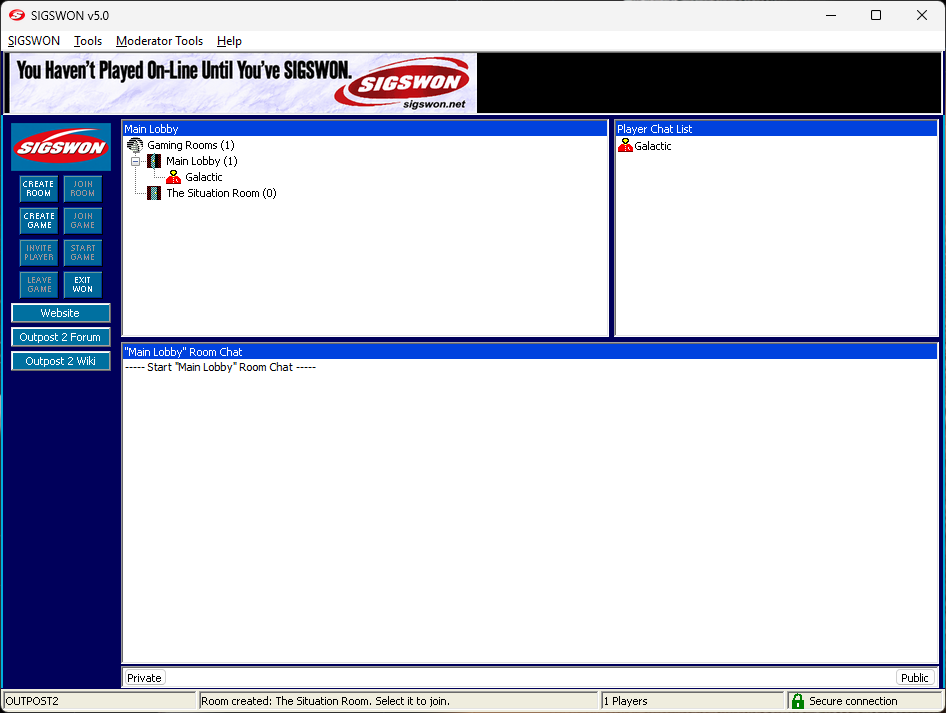
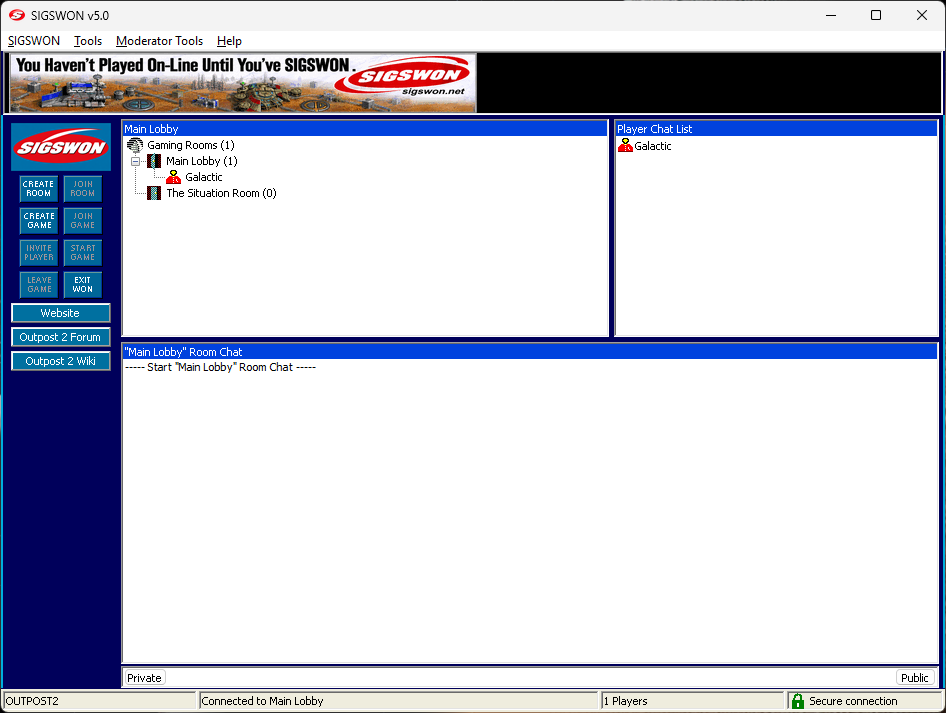
SIGSWON v5 client showing the Main Lobby, player list, chat area, and game controls.

On the network

View dashboard
—Players online
—Games waiting
—Games started
Checking network…
Live service status · refreshes every 10s

Your next match starts here.

Install the SIGSWON client DLLs for your existing Outpost 2 + OPU game. The lobby and gameplay relay are built in.

Have the game ready?

You’ll need Outpost 2 and the OPU community patch.

Get Outpost 2Buy Divided Destiny on GOG Install the OPU patchFree update for your CD or GOG game
Version 5.0.0.35 · development release

Get back to the lobby.

Our Windows installer adds the two SIGSWON DLLs and backs up any existing copies. The lobby and relay are built in. Server connections use verified TLS; a lock and “Secure connection” appear in the status bar while protected. This release adds a host join-request sound and a taskbar flash when an approval request needs your attention. Custom sounds, updater progress, and the earlier fixes are included.

Download Windows installer

4.28 MiB 32-bit client Windows XP SP3 and newer

Prefer to copy the DLLs yourself?Download the manual ZIP

Existing Outpost 2 + OPU installation required. Unsigned installer; Windows may show an unknown-publisher notice.

  1. Close Outpost 2

    Close the game and its launcher before running setup.

  2. Choose your game folder

    Run setup, approve the administrator prompt, and select Outpost2.exe in the base game folder. Confirm and wait for the success message.

  3. Open the lobby

    Launch your existing OPU/OPULauncher.exe, choose online multiplayer, and sign in or create a SIGSWON account.

What is new in 5.0.0.35?

Game owners now hear an alert when a join request needs approval, with sound effects enabled in Preferences > General. The taskbar also flashes while the application is in the background, even if sounds are off. Autojoin and filtered requests do not trigger approval alerts.

Read the release notes. Acceptance of sound playback, visible taskbar flashing and the new updater on Windows XP is still pending.

Which OPU download should I use?

For a new installation, install Outpost 2, then the full OPU 1.4.1 update, then SIGSWON. If you already use OPU 1.4.0, choose the incremental 1.4.1 update on the OPU download page. The game and OPU are not included in the SIGSWON installer.

Manual installation & restoring previous DLLs

Extract the manual ZIP, back up any existing sierranw.dll and snwvalid.dll, then copy both new DLLs into the base game folder. Leave the OPU folder unchanged.

Setup keeps previous DLLs inside a new .sigswon-update-* folder in the game directory. Keep the backup until you have tested the game. To restore it, close the game and follow the recovery guide. Locked or read-only files stop setup; detected replacement failures are rolled back.

Development status & compatibility

The installer has no Windows publisher certificate. The embedded update payload is separately signature-verified; this does not remove Windows’ unknown-publisher notice. Outpost 2 multiplayer is fully supported and working. Civil War Generals 2 and Cyberstorm 2 are supported. Birthright and Lords of Magic are in testing. TLS protects server TCP connections; gameplay UDP traffic is not encrypted.
Supported games.

Outpost 2, Civil War Generals 2, and Cyberstorm 2 are supported. Birthright and Lords of Magic are in testing as we bring more classic games back online.

Game · select to learn moreStatus
Outpost 2Divided DestinyFully supported & working

Colony building · Real-time strategy

Lead a colony on the hostile world of New Terra. Build industry, research new technology, manage resources, and command vehicles as Eden and Plymouth struggle to survive.

More about the game

Outpost Universe community

Civil War Generals 2Supported

Historical warfare · Turn-based strategy

Command Union or Confederate forces in battles of the American Civil War. Plan movement across the battlefield and weigh terrain, morale, and the condition of your troops.

More about the game
Cyberstorm 2Corporate WarsSupported

Science fiction · Tactical strategy

Command mechanized forces in a conflict between rival corporations. Build your force and fight tactical battles with a choice of turn-based or real-time play.

More about the game
BirthrightThe Gorgon’s AllianceIn testing

Fantasy realms · Strategy & role-playing

Rule a realm in the Dungeons & Dragons world of Cerilia. Use diplomacy, armies, and magic to expand your influence, and lead adventurers on quests beyond the throne room.

More about the game
Lords of MagicIn testing

Fantasy warfare · Strategy & role-playing

Explore the fantasy world of Urak, recruit heroes and armies, and develop your stronghold. Combine strategic planning and exploration with real-time battles between rival faiths.

More about the game
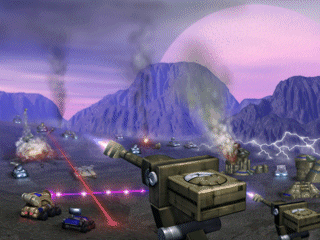
Original Outpost 2 artwork showing colony vehicles in combat beneath a purple sky. ORIGINAL CLIENT ARTWORK / 1997
Multiplayer · fully supported

Outpost 2:
Divided Destiny

Return to the colony. Find other players through the SIGS lobby and connect through the gameplay relay.

Fully supported and working with SIGSWON. Meet in the lobby and play through the built-in gameplay relay.

Check the network

Keeping the connection alive.

When the original SIGS service went dark, its games lost their meeting place. SIGSWON rebuilds the hub and relay that bring players together.

The original language

The network speaks the original SIGS protocol, reconnecting compatible clients to a rebuilt service.

A place to find a match

The hub tracks players, open listings, and started games. Meet in the lobby and get a game together.

Follow the signal.